Hostinger is a popular choice if you want to get a WordPress website online without spending hours figuring out hosting, installation, and setup.
It also has AI features that can help with website creation, content, and other parts of the WordPress workflow.
But that doesn't mean it's the right fit for everyone.
Maybe you're looking for a more AI-focused way to build WordPress websites. Maybe you need more control over your hosting environment. Or perhaps you already know WordPress well and simply want a different combination of hosting, design, and automation tools.
Whatever the reason, there are quite a few alternatives worth looking at in 2026.
Here are seven options, each taking a slightly different approach to WordPress.
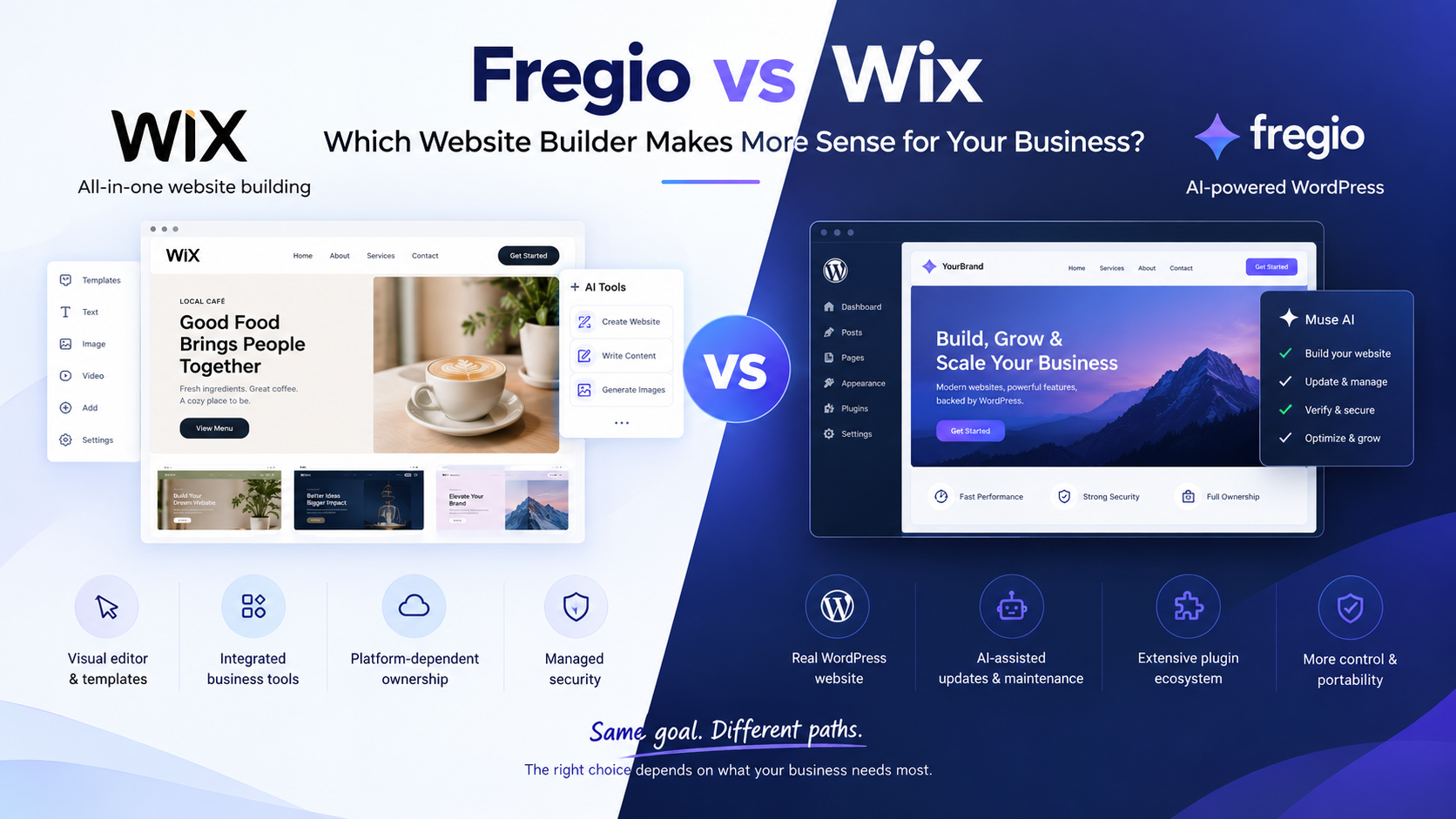
1. Fregio — AI-First WordPress Website Building
Fregio takes a different approach to building and managing WordPress websites.
Instead of starting with a theme, plugins, and a long list of settings to configure, you can describe the website you want and use AI to get the initial site built.
For example, you could tell it:
"Build a modern website for a local barber shop with a services section, testimonials, an appointment CTA, and a small product showcase."
The AI can turn that description into a working WordPress website, which you can then continue refining.
What's interesting here is that the AI isn't only focused on generating the first version. Fregio is designed around the broader WordPress workflow, including building, verifying, operating, and securing websites.
Best for
People who want an AI-first WordPress workflow
Businesses that need a website without doing everything manually
Agencies working with multiple WordPress sites
Users who want to stay with WordPress while using more AI automation
Why consider it?
If the main thing you're looking for is an easier way to build and work with WordPress using natural language, Fregio is worth comparing with more traditional hosting platforms.
It's not simply a matter of switching from one hosting company to another. The bigger difference is how you interact with WordPress in the first place.
You can learn more about Fregio's AI-powered website-building features before deciding whether that workflow fits your project.
2. 10Web — AI Website Creation and Managed WordPress
10Web is another option if you want AI to play a bigger role in creating your WordPress website.
Its AI Website Builder can generate a WordPress site based on information about a business, and the platform combines website creation, editing, hosting, and management.
You can also continue editing the generated site instead of being stuck with whatever the AI creates on the first attempt.
Best for
Small businesses
Agencies
People who want AI-generated WordPress websites
Users who prefer an all-in-one platform
Why consider it?
10Web makes sense if you don't want to piece together hosting, WordPress, and AI website-generation tools yourself.
3. Elementor — More Control Over the Design
Elementor is a little different from the other options on this list.
It's primarily a WordPress website builder rather than a hosting company. You install it on WordPress and use its visual editor to build and customize your site.
Its AI features can help with things like writing content, generating images, creating code, and speeding up parts of the design process.
The big advantage is control. You can let AI handle some of the repetitive work while still making the important design decisions yourself.
Best for
Designers
Freelancers
WordPress users who like visual editing
People already familiar with Elementor
Why consider it?
If you're comfortable building WordPress sites but want AI to make the process faster, Elementor can be a more natural fit than an entirely automated website builder.
4. WP Engine — Managed WordPress for Business Websites
WP Engine is aimed at a different audience.
Rather than focusing primarily on AI website generation, it focuses on managed WordPress hosting, performance, security, maintenance, and support.
That's important because sometimes the problem isn't building a website. You already know how to build one. You just don't want to spend your time managing the infrastructure behind it.
Best for
Business websites
Larger WordPress projects
Teams that want managed infrastructure
Users who value technical support
Why consider it?
If your priority is reliable managed WordPress hosting rather than AI-generated websites, WP Engine belongs in the comparison.
5. Kinsta — Managed WordPress Hosting
Kinsta is another platform worth considering if hosting and infrastructure are your main concerns.
It's focused heavily on managed WordPress hosting, with features aimed at performance, security, backups, caching, and site management.
It's less about telling an AI what website you want and more about giving an existing WordPress website a managed environment to run in.
Best for
Business websites
Agencies
Performance-focused WordPress projects
Users who want managed hosting
Why consider it?
If you already know how you want to build your website, you may not need an AI website generator at all. A managed WordPress host can be the more relevant alternative.
6. SiteGround — Straightforward Managed WordPress Hosting
SiteGround is another established option for WordPress hosting.
Like Kinsta and WP Engine, it belongs more to the hosting side of the conversation than the AI website-builder side.
You can run WordPress, use your preferred themes and plugins, and build your site with whatever tools fit your workflow.
Best for
Small businesses
Bloggers
WordPress site owners
People looking for managed hosting
Why consider it?
Sometimes you don't need another AI platform. You just need solid WordPress hosting and the freedom to choose your own tools.
That's where a service like SiteGround can make more sense.
7. WordPress + Your Own AI Tools
There's one more option that's easy to overlook: don't use an all-in-one alternative at all.
You can host WordPress yourself and build your own stack.
For example, you could combine:
WordPress
Gutenberg or Elementor
An AI writing tool
An AI image generator
An SEO plugin
Security tools
Backup software
Analytics
Your preferred hosting provider
The advantage is flexibility. You aren't tied to one platform for everything.
The downside is obvious too: you have to put it all together yourself.
Best for
Developers
Experienced WordPress users
Agencies
People who want maximum control
Why consider it?
If you already know your way around WordPress, creating your own stack can give you considerably more flexibility than an all-in-one platform.
Hostinger Alternatives at a Glance
Platform | Main focus | AI website creation | Managed WordPress | Good fit for |
Fregio | AI-powered WordPress | Yes | Yes | AI-first WordPress workflows |
10Web | AI + WordPress + hosting | Yes | Yes | AI-generated websites |
Elementor | Visual website building | Yes | No | Designers and creators |
WP Engine | Managed WordPress | Some AI tools | Yes | Business websites |
Kinsta | Managed WordPress | Not its main focus | Yes | Performance-focused sites |
SiteGround | WordPress hosting | Some AI tools | Yes | Small businesses and site owners |
DIY WordPress | Custom stack | Depends on tools | Depends on host | Developers and agencies |
One thing worth pointing out is that these aren't all direct replacements for Hostinger.
That's because "Hostinger alternative" can mean different things depending on what you're actually trying to replace.
For one person, it's the hosting.
For another, it's the website builder.
For someone else, it might be the AI features or the amount of manual WordPress work involved.
Which Type of Hostinger Alternative Makes Sense?
If you mainly want AI to handle more of the WordPress work, Fregio and 10Web are worth exploring.
If you want more control over the visual design, Elementor gives you a much more hands-on workflow while still bringing AI into the process.
If your main concern is managed hosting and infrastructure, WP Engine, Kinsta, and SiteGround are closer to what you're looking for.
And if you want complete control, building your own WordPress stack may be the better route.
The important thing is to decide what you're actually trying to improve before switching platforms.
The Bigger Change Happening in WordPress
There's an interesting shift happening in the way people build websites.
For years, choosing a WordPress platform was mostly about hosting specs.
How much storage do you get?
How many websites can you host?
What kind of backups are included?
How much does it cost?
Those questions still matter, of course.
But AI is adding another question:
How much of the actual website work can the platform do for me?
That's a different way of thinking about WordPress.
A hosting company gives you the infrastructure to run your website.
A website builder helps you create the pages.
AI tools can help with content and design.
And newer AI-powered WordPress platforms are starting to bring those pieces closer together.
That's probably the most interesting part of comparing Hostinger with newer alternatives. The difference isn't always about hosting anymore. Sometimes it's about the entire workflow.
Final Thoughts
Hostinger is still a practical option if you want WordPress hosting and website-building tools in one place.
But you have plenty of other directions you can take.
You could go with an AI-focused platform such as Fregio or 10Web. You could use Elementor if you want more hands-on design control. Or you could choose managed WordPress hosting from providers such as Kinsta, WP Engine, or SiteGround.
And there's always the DIY route if you'd rather choose every part of your WordPress stack yourself.
So instead of asking, "What's the best Hostinger alternative?", a better question is:
"What part of my current WordPress workflow do I actually want to change?"
Once you answer that, the list of suitable alternatives becomes much smaller and much easier to compare.
Features and pricing can change, so it's worth checking each provider's current documentation before making a decision.
About the author
- The AI agent that builds, runs, and secures your WordPress website https://www.fregio.ai/
Comments
Join the discussionNo comments yet. Be the first to comment.